This is Australia’s most comprehensive practical cybersecurity guide for small business, councils, healthcare, education and professional services. It covers real-world threats, Microsoft 365 security, Essential Eight, AI governance, cyber insurance and incident response in plain English.
- Essential Eight explained simply
- Microsoft 365 real-world security hardening
- AI governance for Australian organisations
- Cyber insurance requirements for 2026
- What to do during a cyber incident
Cybersecurity in Australia has changed more in the last 24 months than in the previous 10 years combined.
Between the Optus, Medibank, DP World, Latitude, and countless council breaches, the message is clear:
No business is too small. No industry is too boring. No system is too insignificant.
And 2026 is the year things escalate — dramatically.
Because attackers aren’t just using malware anymore.
They’re using AI.
They’re using:
- AI-powered phishing
- AI-generated deepfake voice calls
- Automated password spray platforms
- Automated Microsoft 365 attack chains
- Reconnaissance bots crawling Australian IP ranges
- Toolkits that bypass legacy MFA
- Identity attacks instead of network attacks
This guide is designed for:
- SMBs
- Councils
- Education providers
- Health services
- NFPs
- Finance and insurance firms
- Construction and engineering
- Professional services
- Mid-market and enterprise
And it covers everything you need to know to protect your business in 2026.
Let’s dive in.
SECTION 1

Why Cybersecurity Matters in Australia in 2026
Australia is now the 3rd most targeted country in the world when it comes to cyber attacks.
Why?
Because Australia has:
- High digital adoption
- High cloud usage (especially Microsoft 365)
- Wealthy businesses
- Poor cybersecurity maturity
- Fragmented IT environments
- Many SMBs with low resourcing
- Rapid AI adoption without guardrails
The 2026 Reality
Most Australian organisations sit at:
❌ Essential Eight Maturity Level 0 or 1
❌ Little to no MFA enforcement
❌ Old laptops still in use
❌ No documented incident response plan
❌ Weak Microsoft 365 settings
❌ Limited cyber awareness training
❌ No supply chain controls
❌ No AI governance
❌ No data classification
❌ Outdated or missing backups
This combination puts Australian businesses on the front line of cyber crime — and attackers know it.
SECTION 2
The Cyber Threat Landscape: What’s Actually Hitting Aussie Businesses
Forget Hollywood hacking.
Here’s what’s really happening in Australia right now.
1. Business Email Compromise (BEC)
Still the #1 cause of financial loss.
Attackers:
- Compromise M365 accounts
- Create forwarding rules
- Monitor email silently
- Insert themselves into invoice chains
- Redirect payments
Small councils, tradie businesses, health clinics, and not-for-profits get hit weekly.
2. Ransomware & Double Extortion
2026 ransomware groups don’t just encrypt your data — they:
- Steal it
- Publish it
- Extort you twice
And they now target:
- File shares
- Cloud drives (OneDrive/SharePoint)
- Backups
- SaaS systems
- Suppliers
3. AI-Powered Social Engineering
Attackers are using AI to:
- Clone voices
- Generate personalised phishing
- Scrape LinkedIn for targets
- Create fake invoices
- Deepfake CEOs
This bypasses traditional staff training.
4. Microsoft 365 Identity Attacks
Australia is one of the most Microsoft-heavy markets on earth.
So attackers target:
- Legacy authentication
- Admin accounts without MFA
- Misconfigured Conditional Access
- Weak Intune compliance
- Insecure guest access
- External sharing misconfigurations
5. Human Error
Still involved in 85 percent of incidents.
Examples:
- Staff clicking email links
- Approving MFA prompts
- Downloading malicious invoices
- Using personal devices
- Mishandling sensitive data
6. Supply Chain Attacks
Attackers jump through:
- MSPs
- IT contractors
- Accounting firms
- Cloud vendors
Your suppliers are now part of your attack surface.
SECTION 3

The Essential Eight (E8) — The Framework You MUST Understand in 2026
The Essential Eight is Australia’s baseline cybersecurity framework.
It’s not optional anymore.
Government must comply.
SMBs are expected to.
Insurers require it.
Auditors check it.
Attackers exploit it.
Yet most organisations still sit at Maturity Level 0–1.
Let’s break it down properly — in plain English.
The Eight Controls (Explained Simply)
1. Application Control
Stops unauthorised apps and scripts from running.
Prevents malware, ransomware droppers, and fileless attacks.
2. Patching Applications
Fixes vulnerabilities in apps like:
- Office
- Chrome
- Adobe
- Browsers
- PDF readers
Hackers exploit unpatched software within hours.
3. Macro Settings for Office
Macros are one of the most abused attack vectors in Australia.
Configure Office so:
- Macros are blocked by default
- Only signed macros run
- Staff cannot enable them freely
4. User Application Hardening
Removes dangerous features e.g.:
- Flash
- Java
- Unneeded browser extensions
- Remote code execution features
5. Restrict Administration Privileges
Admins should not:
- Browse the web
- Read email
- Log in daily
- Be used for general tasks
This is one of the biggest E8 failures across Australia.
6. Patch Operating Systems
Windows updates MUST be enforced properly.
Attackers exploit:
- Old Windows builds
- Unsupported OS versions
- Missing security patches
7. Multi-Factor Authentication
One of the most important cyber controls ever invented.
Stops 99 percent of credential attacks.
Applies to:
- Admin accounts
- Remote access
- VPN
- Cloud apps
8. Regular Backups
Backups must be:
- Immutable
- Offline
- Tested
- Versioned
- Protected from attackers
Cloud drives ≠ backups.
What’s a “Maturity Level”?
ML0 = Nothing
ML1 = Basic
ML2 = Strong
ML3 = Robust and fully aligned
Most councils and SMBs sit between ML0 and ML1.
Insurers now expect ML2 at minimum.
SECTION 4
Microsoft 365 Security: The Real Hardening Guide for Australian Businesses
Microsoft 365 (M365) is the number one attack surface in Australia.
This is because:
- Almost every business runs Exchange Online
- MFA is often misconfigured
- Admin accounts are misused
- Conditional Access is rarely set up properly
- Legacy authentication is still enabled
- External file sharing is wide open
- Audit logs are not turned on
- Intune is not deployed
- Devices are unmanaged
This makes M365 the largest, easiest, and most profitable target for attackers.
Let’s fix that.
The 2026 Australian M365 Security Checklist (Plain English)
There are 10 critical controls that every Aussie organisation MUST implement.
Below is the real-world version — not the marketing version.
1. Turn on MFA for ALL accounts (no exceptions)
The biggest failures in Australia happen because:
- Shared mailboxes have passwords
- Break-glass accounts have no MFA
- MFA is not enforced via Conditional Access
- Admins are excluded from MFA policies
What you MUST do:
- Enforce MFA with Conditional Access
- Require MFA for all admin roles
- Use phishing-resistant methods where possible (Authenticator app, FIDO2)
- Remove SMS MFA unless mandated
2. Block Legacy Authentication (ASAP)
Legacy auth is how most attacks begin.
If you leave these enabled, attackers can bypass MFA.
Legacy auth includes:
- POP
- IMAP
- SMTP AUTH
- EWS (older versions)
- Basic authentication endpoints
What you MUST do:
- Block legacy auth tenant-wide
- Monitor sign-in logs for any remaining legacy usage
3. Create Conditional Access Policies
Conditional Access is the brain of Microsoft 365 security.
These 5 policies are mandatory:
Policy 1: Block legacy authentication
Policy 2: Require MFA for all users
Policy 3: Require compliant/Hybrid-joined devices for admin access
Policy 4: Restrict guest access
Policy 5: Block risky sign-ins automatically
4. Limit the number of Global Admins
Best practice:
Max 2–3 global admins for any organisation
Everyone else should be:
- Security Admin
- Exchange Admin
- SharePoint Admin
- Teams Admin
Admin abuse is one of the biggest attack vectors.
5. Disable self-service purchases
This is a hidden security risk.
Users can unknowingly:
- Buy AI tools
- Activate Power Apps
- Enable trial licences
- Create shadow IT
Turn OFF the ability for users to self-buy.
6. Secure External Sharing & OneDrive Links
Default sharing in Australia is often:
Anyone with the link – NO SIGN IN REQUIRED
This is dangerous.
What to set:
- Default: Specific people
- Expiry dates: ON
- Password-protected links: ON
- Block download for sensitive files: ON
7. Turn on Inbox Auditing & Admin Logging
Many Aussie businesses never enable:
- Mailbox audit logging
- Unified audit logs
- Activity logs
- Sign-in logs retention
This destroys your evidence during an incident.
Minimum:
- 90 days logging
- Security alerts forwarded
- Admin audit logs enabled
8. Deploy Intune Device Compliance
This creates the foundation of Zero Trust.
Every device must be:
- Enrolled
- Compliant
- Encrypted
- Have Defender
- Have policies applied
This ensures attackers can’t use untrusted devices.
9. Apply Data Loss Prevention (DLP) Rules
Protects:
- TFN
- Medicare numbers
- Driver licence details
- Credit card numbers
- Health data
- Client files
DLP stops accidental (or malicious) data leaks.
10. Build a Secure Admin Access Model
Admins NEVER:
- Use admin accounts for daily work
- Browse the web
- Check email
- Log into Teams
- Log into SharePoint
- Access general systems
Admins MUST have:
- A normal user account
- A separate admin account
- Privileged Access Workstations (where possible)
The Microsoft 365 “Minimum Security Baseline” (Australia 2026)
If a company ONLY does the following:
✔ MFA enforced via Conditional Access
✔ Block legacy authentication
✔ Limit global admins to 2–3
✔ Secure file sharing
✔ Enable audit logging
✔ Use Intune for compliance
✔ Protect admin accounts
Then 70–80 percent of attacks will fail.
The difference is night and day.
Common Australian Misconfigurations (from real-world incidents)
Here’s what we see weekly across councils, schools, and SMBs:
❌ Admin accounts excluded from MFA
❌ Legacy auth still enabled
❌ Unmanaged laptops accessing email
❌ Contractors with full global admin
❌ Old Intune policies from 2019 never updated
❌ Staff using personal devices
❌ No device compliance policies
❌ External sharing wide open
❌ Sign-in logs not retained
❌ Inactive accounts still active
❌ No alerting or SOC monitoring
This is exactly how attackers gain footholds.
What You Should Do Next
- Run an M365 Security Review (you offer this)
- Fix legacy auth (biggest win)
- Deploy Conditional Access (highest impact)
- Implement Zero Trust basics
- Train staff to spot credential phishing
- Put admins behind hardened access
This aligns perfectly with:
- Essential Eight
- ACSC hardening guidance
- Insurance requirements
- Best practice 2026
SECTION 5

Penetration Testing in Australia (The Real-World Guide)
Penetration testing is one of the most misunderstood cybersecurity activities in Australia.
Most people think it’s just “hack me and send a report”.
But proper pen testing is strategic.
It reveals how attackers can:
- Steal data
- Break into systems
- Elevate privileges
- Bypass Microsoft 365
- Compromise identities
- Move laterally
- Access backups
- Shut down operations
- Impact customers
Let’s break this down in plain English.
⭐ What Pen Testing Actually Is (and Isn’t)
Penetration Testing IS:
- A controlled, safe hacking simulation
- Performed by certified professionals
- Based on attacker tactics (MITRE ATT&CK)
- Designed to uncover real-world weaknesses
- Done annually or after major IT changes
- A requirement for insurance & compliance
Penetration Testing IS NOT:
- A vulnerability scan
- An IT health check
- A box-ticking exercise
- Something you “pass or fail”
- A magic fix for poor security
The goal is NOT to embarrass IT teams.
The goal is to expose blind spots before attackers do.
Types of Penetration Testing in Australia
Pen testing is not one thing.
It’s a family of different assessments.
Here are the main categories.
1. External Network Penetration Testing
Simulates an attacker from outside the organisation.
Tests include:
- Exposed ports
- Firewall weaknesses
- VPN exposure
- Remote desktops
- DNS & certificate issues
- Password attacks
- Cloud entry points
This finds the front door weaknesses.
2. Internal Network Penetration Testing
Simulates a threat after initial access.
Often replicates:
- A staff member
- A compromised laptop
- A malicious insider
- A stolen VPN credential
Tests things like:
- Lateral movement
- Privilege escalation
- Access to sensitive drives
- Password reuse
- Weak network segmentation
- Insecure legacy servers
Very important for councils, schools, aged care, NFPs.
3. Web Application Penetration Testing
Tests your:
- Customer portal
- Web apps
- Internal apps
- Billing systems
- Booking systems
- APIs
Finds vulnerabilities like:
- SQL injection
- Cross-site scripting
- Broken access controls
- Authentication weaknesses
- Insecure direct object references (IDOR)
This is CRITICAL for SaaS companies.
4. Microsoft 365 / Azure Pen Testing
One of the fastest-growing tests in Australia.
Why?
Because M365 misconfiguration is responsible for the majority of breaches.
Test includes:
- MFA bypass attempts
- Conditional access weaknesses
- Admin privilege escalation
- Password spraying
- Tenant misconfiguration
- OAuth abuse
- Guest account risks
- Forwarding rules
- Token theft
- Bruteforce of weak accounts
This is where attackers focus their time.
5. Social Engineering Assessment (Human Testing)
Tests your people, including:
- Phishing emails
- Phone scams
- MFA fatigue attacks
- Executive impersonation
- Fake invoice scams
These tests show how easily criminals could:
- Steal credentials
- Redirect payments
- Trick your staff
- Gain admin access
6. Wireless Penetration Testing
Tests:
- Wi-Fi encryption
- Rogue AP attacks
- Guest network isolation
- Captive portal bypass
- Credential theft
This is crucial for retail, hospitality, and education.
Penetration Testing in Australia: What Insurers Expect (2026)
Australian cyber insurers now REQUIRE proof of:
✔ MFA
✔ EDR
✔ Secure backups
✔ Microsoft 365 hardening
✔ Incident response plan
✔ Pen testing (annual)
If you skip pen testing, incidents may be:
❌ Not covered
❌ Reduced payout
❌ Denied entirely
Pen testing has shifted from “nice to have” to mandatory business hygiene.
The Pen Testing Process (Step-by-Step)
Here’s how a proper engagement works.
Step 1 — Scoping
You outline:
- What’s in scope
- What type of testing
- Any restrictions
- Your main concerns
The tester collects:
- IP ranges
- App URLs
- Credentials (if applicable)
- Architecture diagrams (optional)
Step 2 — Reconnaissance (Information Gathering)
The tester looks at:
- Your public presence
- DNS
- Email configurations
- Certificates
- Employee profiles
- Tech stack
- Cloud footprint
This is what attackers do every day.
Step 3 — Vulnerability Discovery
The tester identifies:
- Weak services
- Exposed apps
- Misconfigurations
- Unpatched systems
- Broken access controls
- Outdated dependencies
This stage finds the weaknesses.
Step 4 — Exploitation
This is the actual “hacking” part.
They attempt to:
- Break in
- Steal credentials
- Gain admin privileges
- Access data
- Move laterally
- Trigger alerts (to test monitoring)
All safely and legally.
Step 5 — Post-Exploitation
This stage shows business impact including:
- What data could be stolen
- What systems could be taken offline
- What accounts could be compromised
- Whether backups can be accessed
- How far an attacker could go
This is where real value emerges.
Step 6 — Reporting & Recommendations
Reports include:
- Executive summary
- List of findings
- Severity rating
- Proof of exploitation
- Screenshots
- Recommended fixes
- Attack paths
- Suggested controls
The goal: help you fix problems, not just list them.
Step 7 — Remediation Validation
After you apply fixes, testers re-check:
- Issues resolved?
- Controls implemented?
- Exposure mitigated?
This closes the loop.
How Much Does Pen Testing Cost in Australia? (Real Ranges)
Pen test costs depend on scope.
SMB Typical Spend:
- $6,000 – $15,000 for basic external/internal
- $7,000 – $12,000 for M365 testing
- $4,000 – $10,000 for web apps
- $2,000 – $6,000 for phishing/social engineering
Mid-Market / Government Spend:
- $20,000 – $80,000 for multi-scope testing
- $15,000 – $40,000 per complex application
Large Enterprise:
- $100,000+ multi-month engagements
When Should You Get a Pen Test?
Mandatory if:
✔ New system going live
✔ Cloud migration
✔ After major security changes
✔ After a breach
✔ Prior to cyber insurance renewal
✔ For compliance requirements
Recommended:
➡ Annually
➡ Quarterly for high-risk sectors
MOST IMPORTANT TAKEAWAY
Pen testing does NOT fix security problems.
Pen testing reveals them.
The actual improvement comes from:
- Applying E8
- Hardening M365
- Updating processes
- Fixing misconfigurations
- Training staff
- Implementing Zero Trust
- Deploying monitoring/SOC
- Using EDR
Pen testing + remediation = cyber safety.
SECTION 6

AI Governance & Safe AI Use in Australian Organisations (2026 Guide)
Artificial intelligence has become the fastest adopted technology in Australian business history.
But unlike laptops or cloud apps, AI tools:
- Learn from your inputs
- Store your prompts
- Retain patterns
- Can leak sensitive data
- Can make incorrect decisions
- Can create compliance risks
- Can generate legal exposure
Most importantly:
AI gives employees more power than ever before — often without oversight.
This is why AI governance is now a cornerstone of modern cybersecurity.
1. What Is AI Governance?
AI governance is the framework, rules and guardrails that ensure AI is used safely, responsibly and legally across your organisation.
It includes:
- Approved AI tools
- Banned AI tools
- Usage guidelines
- Data classification rules
- Risk controls
- Access restrictions
- Logging and monitoring
- Ethical considerations
- Privacy compliance
- Model risk assessments
- Oversight and accountability
In plain English:
AI governance tells your staff what they can and cannot do with AI.
2. Why AI Governance Matters in Australia (Right Now)
Australia is currently finalising its AI regulatory framework through:
- Department of Industry, Science and Resources
- Privacy Act reforms
- Safe and Responsible AI consultations (2024–2026)
The direction is clear:
Businesses will be held accountable for AI usage risks — not the tech providers.
Key emerging obligations:
✔ High-risk AI systems = strict requirements
✔ Mandatory AI risk assessments
✔ Data classification and protection
✔ Algorithmic transparency
✔ Documented governance and oversight
✔ Responsible use principles
✔ Explainability and auditability
SMBs, councils, non-profits and enterprises ALL need to prepare now.
3. The Biggest AI Risks for Australian Organisations
These are the exact risk categories we see in real assessments across AU:
1. Data Leakage
The #1 AI risk today.
Staff paste into ChatGPT:
- Client names
- Contracts
- Internal documents
- HR files
- Credentials
- Meeting notes
- Source code
- Legal issues
- Personal employee data
This becomes model training data unless using enterprise-grade controls.
2. Incorrect or Hallucinated Outputs
AI can:
- Make up information
- Produce fake laws
- Miscalculate
- Invent sources
- Fabricate facts
- Misinterpret context
This is a legal and administrative risk.
3. Shadow AI
Staff are using:
- ChatGPT
- Gemini
- Claude
- MidJourney
- GitHub Copilot
- Random browser extensions
- Free AI tools online
Without approval.
Without monitoring.
Without policy.
Without governance.
This is dangerous.
4. Privacy & Legal Risk
AI tools can expose:
- Personal information
- Sensitive data
- Health data
- Financial data
- Confidential details
This leads to:
- Privacy Act breaches
- Notifiable Data Breaches
- Contractual violations
- Client trust issues
5. Intellectual Property (IP) Leakage
Free AI tools may reuse your content.
This impacts:
- Proprietary research
- Source code
- Designs
- Contracts
- Internal workflows
6. Lack of Version Control / Audit Trails
AI tools don’t automatically:
- Track who did what
- Record prompt history
- Produce decision audit trails
- Capture data flows
This is a major compliance risk.
7. AI-Generated Fraud & Social Engineering
Threat actors use AI to:
- Clone voices
- Generate phishing emails
- Write malware
- Automate credential attacks
- Create fake invoices
- Impersonate executives
This increases exposure dramatically.
4. What Every Australian Business Must Implement in 2026
Below is the minimum AI governance baseline.
These are NOT optional anymore.
⭐ 1. AI Use Policy (Mandatory)
Every business needs a clear, approved, documented policy that defines:
- What AI tools are allowed
- What data can be used
- What data is prohibited
- How prompts must be written
- How confidentiality is protected
- What staff responsibilities are
- How risks are handled
- What must be logged
- Who manages oversight
- What the escalation process is
This is the #1 thing missing in Australian organisations.
You already have a downloadable template — huge advantage.
⭐ 2. Approved/Blocked AI Tools List
This is essential.
Examples:
Approved AI Tools
- ChatGPT Enterprise
- Microsoft Copilot (with data protections)
- Adobe Firefly (commercial safe licence)
- Internal LLMs
Blocked AI Tools
- Free GPT tools
- Unknown browser extensions
- Apps with unclear data retention
- Tools that store prompts externally
⭐ 3. Data Classification for AI
Staff must know:
- Public
- Internal
- Confidential
- Restricted
- Highly Sensitive
AND what each classification means for AI usage.
Example:
Restricted data cannot be entered into AI tools unless enterprise controls are in place.
⭐ 4. Logging & Monitoring of AI Usage
Minimum logging:
- Prompts
- Tool usage
- Account access
- Off-platform extensions
- High-risk actions
Enterprise tools (like Copilot or ChatGPT Enterprise) make this easier.
⭐ 5. AI Risk Assessment for High-Risk Use Cases
Mandatory for:
- HR decisions
- Financial modelling
- Customer decisions
- Legal reasoning
- Healthcare decisions
- Public communications
This is EXACTLY where future regulation will focus.
⭐ 6. AI Training for Staff (Mandatory)
Teach:
- Safe prompting
- Confidentiality rules
- Data classification
- Identifying hallucinations
- Avoiding shadow AI
- Proper review of outputs
AI skills are now business-critical.
⭐ 7. Integrate AI Safety with Cybersecurity
AI governance must connect to:
- Essential Eight
- SOC monitoring
- Incident response
- Data governance
- M365 security
- Identity protection
- Vendor management
AI does not replace cybersecurity — it expands it.
5. AI Governance for SMBs — The “Lite Model”
For smaller businesses, use the 5-rule quick model:
- Only allowed tools: Copilot or ChatGPT Enterprise
- No customer or employee personal data in prompts
- No financial, legal or HR decisions made solely by AI
- All outputs must be reviewed by a human
- No browser AI extensions
This simple model already reduces 80 percent of AI risk.
6. AI Governance for Government, Health, Education
These sectors require:
- AI decision transparency
- Explainability
- High-risk system assessments
- Data localisation
- Privacy-by-design frameworks
- Algorithmic fairness analysis
Expect strict rules to land in 2025–2026.
7. AI Policy Enforcement
AI governance is NOT a document.
It must be:
- Enforced by M365
- Linked to Conditional Access
- Integrated with SOC monitoring
- Monitored with admin reports
- Audited every 6–12 months
Governance is technical AND administrative.
SECTION 7
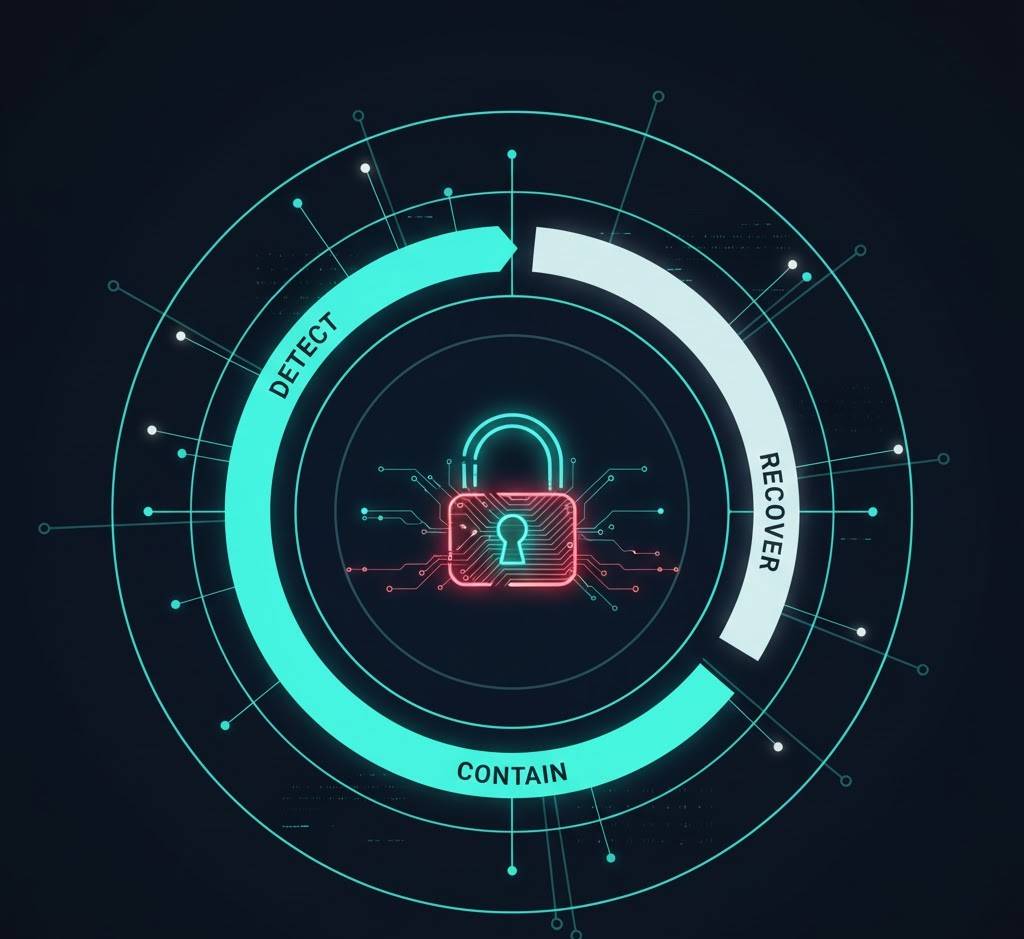
Incident Response in Australia (What To Do When Things Go Wrong)
Most Australian businesses don’t realise this:
A cyber incident is not an IT problem.
It’s a business, legal, financial and reputational emergency.
When a breach happens, every minute counts.
And the way you respond determines whether you’re:
- Fully operational within 48 hours
OR - Down for weeks, paying ransom, facing the OAIC, and losing customers
Below is the real-world 2026 Australian Incident Response guide, written in your tone: clear, direct, practical.
1. Two Types of Cyber Incidents
1.1 Security Event (Low Level)
A suspicious activity that does not yet indicate compromise.
Examples:
- Strange login
- Failed MFA attempts
- Possible phishing email
- Disabled antivirus alerts
1.2 Security Incident (High Level)
Confirmed or likely unauthorised access, data loss, suspicious behaviour, malware or account compromise.
Examples:
- Ransomware
- Business email compromise
- Account takeover
- Sensitive data leak
- Unauthorised login
- Malware infections
- Backup tampering
- Invoice fraud
If you hit this level, you are in an Incident Response Scenario — NOW.
2. The 8-Step Australian Incident Response Process (Plain English)
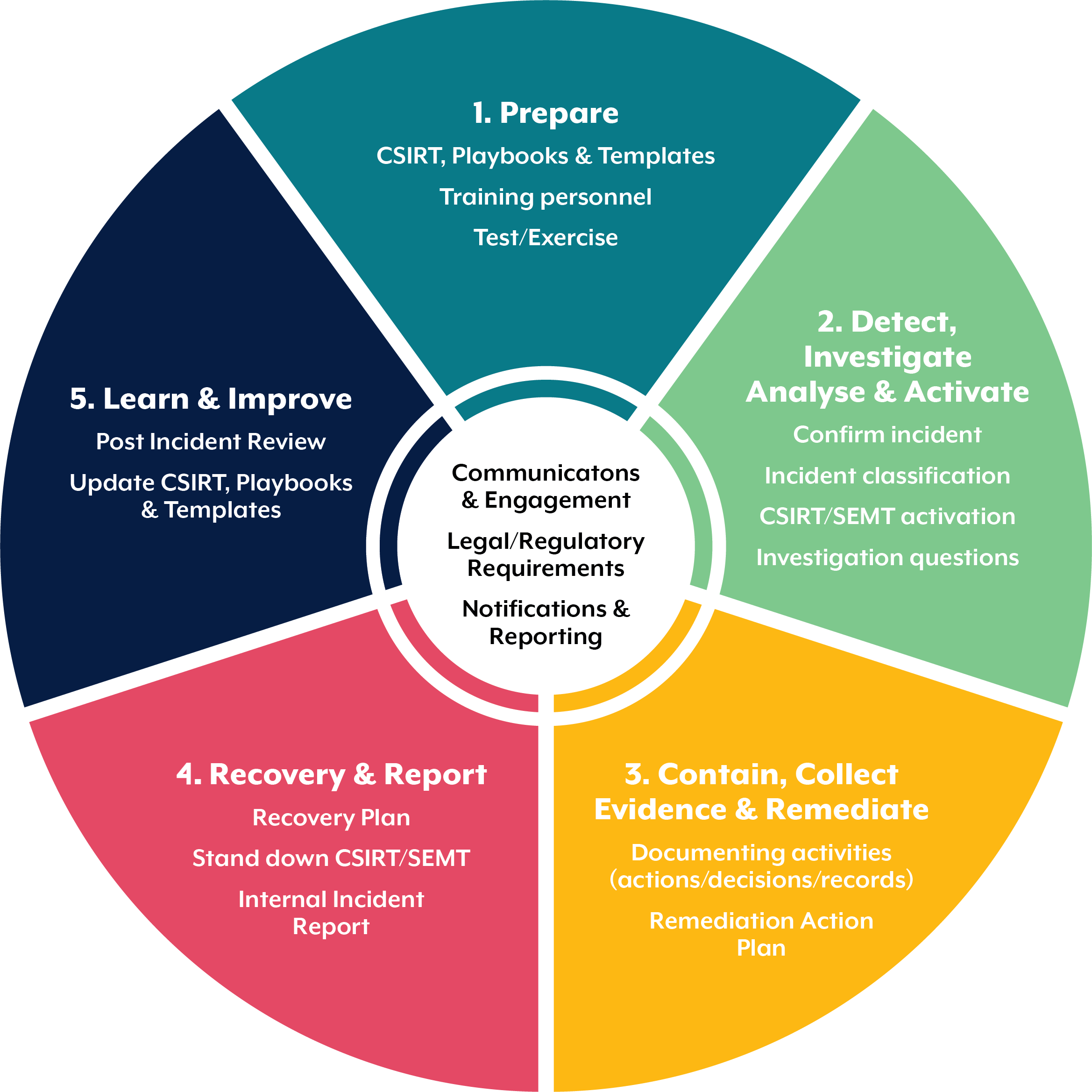
This is the standard flow used by professional IR teams, insurers, and the ACSC.
STEP 1 — IDENTIFY
What happened?
When?
Which systems?
Which accounts?
What was accessed?
Who reported it?
Most Australian organisations discover breaches by accident.
STEP 2 — CONTAIN
This is critical.
You MUST stop the bleeding without destroying evidence.
Containment actions include:
- Disable compromised accounts
- Block suspicious IP addresses
- Reset passwords (CAREFULLY — do not reset too early)
- Disconnect infected devices
- Stop external sharing
- Disable mailbox rules
- Block attacker sessions in M365
- Apply Conditional Access restrictions
- Isolate infected servers
Do NOT turn systems off unless malware is active.
Shutting systems down can destroy critical forensics.
STEP 3 — PRESERVE EVIDENCE
This is one of the biggest mistakes in Australia — IT fixes issues without preserving logs.
You MUST preserve:
- M365 audit logs
- Identity logs
- Mailbox audit logs
- Firewall logs
- Proxy logs
- Endpoint logs
- Sign-in reports
- Azure AD logs (at least 90 days)
Without logs:
- Insurers may deny claims
- OAIC may escalate compliance action
- You cannot prove what happened
- You cannot ensure it won’t repeat
Document EVERYTHING.
STEP 4 — ERADICATE
Remove:
- Malware
- Backdoors
- Forwarding rules
- Unauthorised apps
- External sharing links
- Rogue accounts
- OAuth tokens
- Persistence mechanisms
This is often the hardest part because attackers hide deep.
STEP 5 — RECOVERY
Restore:
- Systems
- Data
- Backups
- Access
- Normal operations
During recovery, ensure:
- Backups are clean
- Ransomware hasn’t reinfected
- Identity isn’t compromised
- Admin accounts are hardened
STEP 6 — NOTIFICATION
Under the Privacy Act (NDB Scheme) you MUST notify when:
- Personal information is breached
- There is likely serious harm
Depending on severity, you may need to notify:
- OAIC
- Affected individuals
- Customers
- Partners
- Insurers
- Regulators (APRA, ASIC depending on industry)
- Law enforcement
- Boards and executives
Failure to notify can result in significant penalties.
STEP 7 — POST-INCIDENT REVIEW
This determines:
- How attackers got in
- What weaknesses were exploited
- What controls failed
- How long attackers were inside
- What fixes are required
- What changes must be made
- Which vendors were involved
- Which processes failed
This becomes your hardening roadmap.
STEP 8 — IMPROVE (Maturity Uplift)
This is where Australian businesses typically fail.
They recover…
But never fix the root cause.
Every post-incident improvement should focus on:
- Maturity uplift to Essential Eight
- Full Microsoft 365 hardening
- Admin account restrictions
- SOC monitoring
- Backup overhaul
- AI governance
- Policy documentation
- Pen testing
- Insider threat reduction
This determines whether you get breached AGAIN.
And many Aussie businesses do.
3. Business Email Compromise (BEC) — The #1 Australian Incident
Let’s give you a premium explainer section because this is the breach you will help the most with.
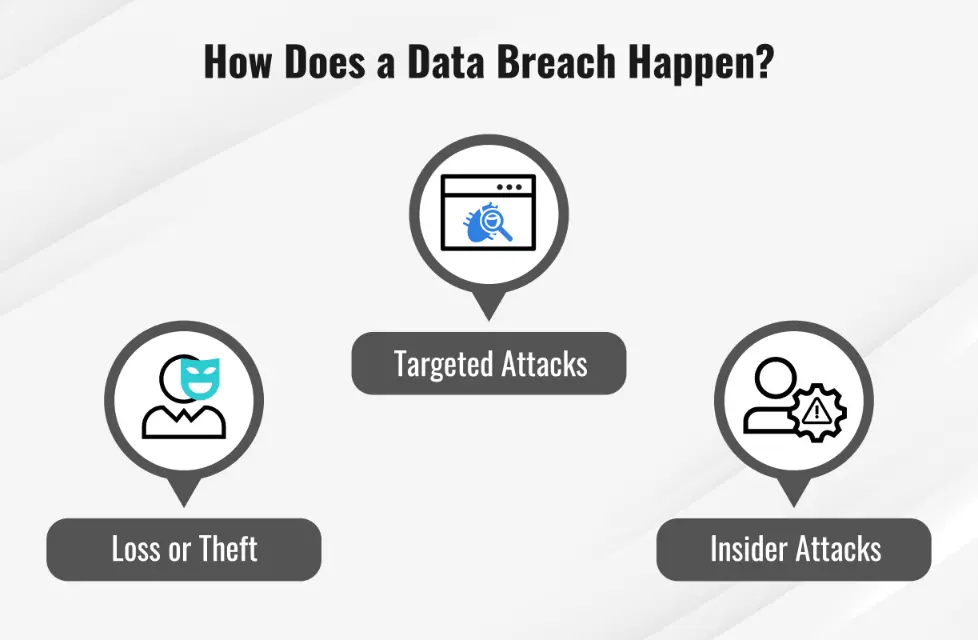
What Attackers Do in M365:
- Gain access via weak password or MFA bypass
- Add mailbox forwarding rules
- Hide in the mailbox
- Monitor conversations
- Wait for invoices
- Redirect payments
- Delete alerts
- Escape detection
This is why controlling M365 properly is essential.
Signs of BEC in Australia:
- Invoices unpaid
- Unusual inbox rules
- External MFA prompts
- Unrecognised sessions
- Staff receiving fake payment requests
- Missing emails
- Suspicious sign-ins from overseas
- Files shared externally
- Account lockouts
BEC is not an IT failure.
It’s a financial crime.
4. Ransomware — The Modern Nightmare
Attackers now:
- Steal your data
- Encrypt your data
- Threaten to leak it
- Demand ransom
- Attack backups
- Attack supplier systems
- Attack your customers if you don’t pay
Australian sectors hit hardest:
- Healthcare
- Councils
- Professional services
- Construction
- Retail
- Education
- Aged care
5. The Incident Response Team You Need
Your IR team should include:
- Cybersecurity lead
- IT operations lead
- CEO / GM
- Legal
- Comms
- HR (if insider risk)
- External IR consultants (if serious)
This is EXACTLY where you come in as TheCyberGuyAU.
6. The 72-Hour Window (Critical)
The first 72 hours determine:
- Business continuity
- Legal exposure
- Insurance coverage
- Customer trust
- Media handling
- Real-world impact
Most businesses lose this window because:
- They panic
- They turn systems off
- They wipe logs
- They reset passwords too early
- They underestimate scope
You provide clarity and structure.
7. Incident Response Requirements for Insurance
Insurers now require documented:
✔ Incident response plan
✔ Evidence that it was followed
✔ Logs preserved
✔ MFA on all accounts
✔ EDR running
✔ Backup strategy
✔ Maturity uplift
This is why a post-incident uplift is essential.
SECTION 8
Cyber Insurance in Australia 2026: What Insurers Actually Require

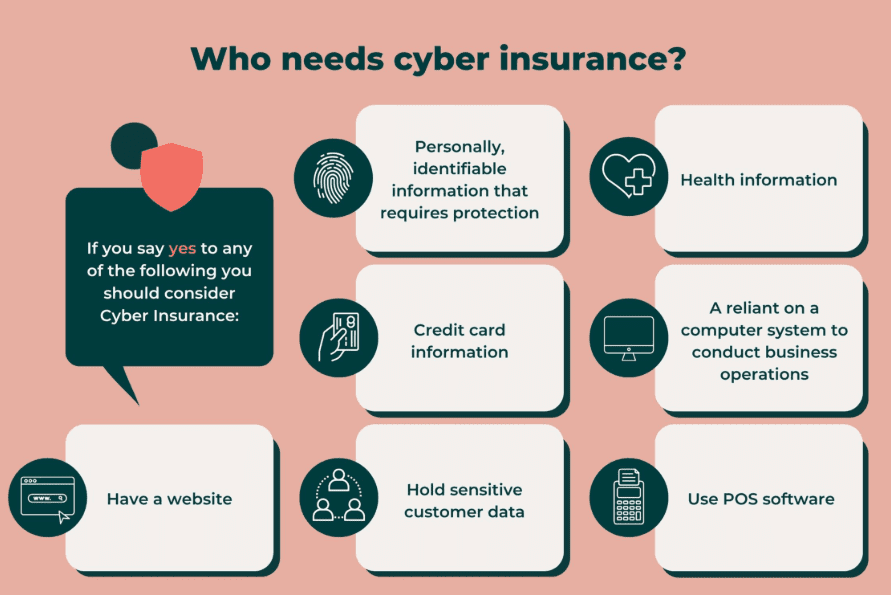
In 2026, cyber insurance is no longer a simple add-on.
It is now one of the strictest, most technical, and most misunderstood forms of insurance in Australia.
The days of “tick a box and get covered” are over.
Underwriters now demand proof, not promises.
They require controls, not policies.
They expect maturity, not buzzwords.
And Australian businesses especially SMBs are struggling to keep up.
This section breaks down, in plain English, exactly:
- What insurers want
- Why they want it
- What they check
- What gets claims denied
- What they will outright refuse to cover
- How to maintain compliance year-round
No fluff.
Just the real deal.
1. Why Cyber Insurance Has Changed
Three massive shifts hit the Australian insurance market:
A) The frequency of attacks exploded
Australia has become a top-three global target.
Why?
- High M365 usage
- Weak cyber maturity
- High-value data
- Low regulation outside government
- Rapid adoption of AI without controls
B) Claims have become more expensive
A typical breach now costs:
- $280k for SMB
- $1.4M+ for mid-market
- $4M+ for enterprise
- $8M+ for healthcare
- $12M+ for finance/insurance
Most insurers have lost money on cyber for three years straight.
C) Insurers are now extremely strict
The trend is clear:
- Higher premiums
- More exclusions
- Mandatory security controls
- Detailed questionnaires
- Audits and proof
- Penetration testing requirements
Cyber insurance is now closer to a partnership with security than a typical policy.
2. What Insurers Actually Want (Plain English)
Below is the REAL list of controls insurers check in 2026.
They fall into six buckets.
BUCKET 1 — Identity Security (Most Important)
Insurers know attackers don’t “hack servers” anymore — they hack people.
They require:
✔ MFA on every external-facing account
✔ MFA on every admin account
✔ MFA on backup systems
✔ Conditional Access enforcing MFA
✔ No legacy authentication
✔ Password policy aligned to NIST
✔ Privileged Access Management (PAM) for admins
✔ No shared admin accounts
This is non-negotiable.
If MFA is missing, most insurers will:
- Decline the policy
- Decline the claim
- Offer limited coverage
- Increase premiums exponentially
Identity compromise is the #1 cause of claims.
BUCKET 2 — Endpoint Security (EDR Required)
Insurers now expect full Endpoint Detection & Response (EDR).
Not antivirus.
Not Windows Defender alone.
Not signature-based tools.
Required:
✔ EDR on all workstations
✔ EDR on all servers
✔ 24/7 monitoring
✔ Prevent, detect, isolate & rollback
✔ Regular updates
✔ Threat hunting capability
Examples:
- Microsoft Defender for Business / E5
- CrowdStrike
- SentinelOne
- Sophos Intercept X
Without EDR, the cost of insurance skyrockets.
BUCKET 3 — Backups (Immutable & Segmented)
Backups determine whether you:
- Recover
- Pay ransom
- Lose everything
Required:
✔ Immutable backups
✔ Offline copies
✔ 3-2-1 rule applied
✔ MFA on backup consoles
✔ No domain admin access on backup servers
✔ Regular recovery testing
✔ Backup monitoring alerts
Most claims are denied because backups were:
- Unprotected
- Inaccessible
- Infected
Insurers take backups VERY seriously.
BUCKET 4 — Patch & Vulnerability Management
Attackers exploit unpatched systems within hours.
Required by insurers:
✔ OS patches deployed within 14 days
✔ Critical patches within 48–72 hours
✔ Application patching
✔ Firmware updates
✔ Vulnerability scanning
✔ Proof of remediation
✔ End-of-life systems replaced
If critical vulnerabilities remain unpatched, insurers may:
- Reduce payouts
- Force a co-payment
- Deny the claim
BUCKET 5 — Microsoft 365 / Cloud Hardening
Most Australian breaches start in M365.
Insurers now require proof of:
✔ MFA enforced via Conditional Access
✔ Legacy auth blocked
✔ Restricted admin roles
✔ Secure external sharing
✔ Brute-force protection
✔ Geo-blocking (recommended)
✔ Log retention
✔ Defender integration
✔ No insecure mailbox rules
✔ Indirect attacks prevented
Cloud misconfiguration = denied claims.
BUCKET 6 — Governance, Risk & Compliance (GRC)
Insurers now require the maturity of a “serious business.”
Required:
✔ Incident response plan
✔ AI governance policy
✔ Cybersecurity policies
✔ Vendor risk management
✔ Employee training
✔ Staff cyber awareness
✔ Data classification
✔ Acceptable use policies
✔ Annual risk assessments
✔ Pen testing (at least annually)
Insurers want maturity + documentation.
If it’s not written, to them—it doesn’t exist.
3. What Gets Claims Denied (The Real List)
Bro, this is GOLD content.
99 percent of businesses don’t know this stuff.
Reason 1 — No MFA on an account that was breached
This is the #1 exclusion.
If the compromised account wasn’t protected by MFA…
They will deny the entire claim.
Reason 2 — Backups weren’t properly segmented
If attackers accessed backups, you’re often out of luck.
Reason 3 — Logs were not retained
If you cannot prove:
- What happened
- When it happened
- Who was impacted
- What data was accessed
Insurers cannot validate the claim.
Reason 4 — No EDR installed
EDR is now a baseline requirement.
Lack of EDR = increased liability.
Reason 5 — Misleading questionnaire answers
If the business stated:
- “MFA is enabled for all accounts”
- “We patch all systems regularly”
- “We have immutable backups”
But did not, claim denied.
This is a huge legal exposure.
Reason 6 — Old / unsupported systems
Windows 7, XP, Server 2008…
Insurers hate them.
They require:
- Migration
- Segmentation
- Justification
- Compensating controls
Without this: reduced payout.
Reason 7 — Staff errors not documented
Insurers want:
- Training logs
- Policy acceptance
- Awareness programs
- Evidence of maturity
If a staff member acted recklessly, coverage may be impacted.
4. How to Actually Prepare for Cyber Insurance (Your Playbook)
Below is the playbook you give your clients.
Step 1: Complete a gap assessment
Compare your business against the insurer’s baseline controls.
Step 2: Apply quick wins first
- MFA everywhere
- Block legacy auth
- Install EDR
- Secure backups
- Remove old admin accounts
- Turn on logging
Step 3: Implement Essential Eight ML2
This satisfies nearly all insurer requirements.
Step 4: Implement M365 hardening
This stops 70 percent of modern breaches.
Step 5: Document all controls
Policies matter.
Step 6: Train all staff
Reduce human error.
Step 7: Conduct annual pen testing
Required for many policies.
Step 8: Validate backups
Most important control of all.
Step 9: Prepare incident response plan
Insurers expect a 72-hour action plan.
Step 10: Maintain evidence
Logs, screenshots, reports, audit trails.
5. How Cyber Insurance Pricing Works (2026)
Premiums depend on:
- Business size
- Industry
- Data type
- Security maturity
- Controls in place
- Claims history
- Cloud footprint
SMB Typical Premiums (Real AU Numbers)
- Micro: $1,200 – $4,000
- SMB: $4,000 – $12,000
- Mid-market: $12,000 – $40,000
- Enterprise: $50,000 – $250,000
Premiums drop significantly with:
- MFA
- EDR
- Immutable backups
- Incident response plan
- SOC monitoring
- ML2 maturity
6. The Most Important Insight
Cyber insurance does not replace cybersecurity.
Cybersecurity controls determine whether insurers pay.
Insurance is financial recovery.
Not prevention.
Not detection.
Not protection.
If your controls are weak, you will either:
- Not get covered
- Pay huge premiums
- Have exclusions
- Lose claims
The businesses who secure themselves properly get:
- Lower premiums
- Higher coverage
- Safety from financial disaster
SECTION 9

Cybersecurity Budgets, Tools & Technology Roadmap (Australia 2026)
ChatGPT said:
Alright bro — now we enter SECTION 9, one of the most practical, high-value, business-shifting parts of the entire guide.
This is where we lay out:
- What tools Australian businesses should actually use
- What NOT to waste money on
- How to budget for 2026
- What order to prioritise improvements
- What to buy at each maturity stage
- What gives the biggest security uplift with the smallest spend
- What tools insurers love
- What tools attackers hate
This section becomes the flagship resource for SMBs, councils, health, education, NFPs and mid-market buyers.
Let’s go deep.
SECTION 9
Cybersecurity Budgets, Tools & Technology Roadmap (Australia 2026)

Most Australian businesses waste money on cyber.
Not because they don’t carecontinue bro
but because they don’t know what actually works.
This is the definitive roadmap.
1. The 2026 Cyber Budget Reality for Australian Organisations
The ACSC and insurers have made this VERY clear:
The most cost-effective cyber strategy is maturity uplift, not buying new products.
The biggest gains come from:
- Identity security
- Hardening existing tools
- Fixing M365
- Proper MFA
- Patching
- Backups
- Staff awareness
- Logging & monitoring
NOT from:
- Fancy firewalls
- Expensive SIEMs
- Overpriced AI tools
- Brand-name appliances
- “Cyber in a box” products
Let’s break this down by size.
2. Cybersecurity Budget Benchmarks in Australia
Micro Business (<20 staff)
Recommended spend: $3,000–$12,000 per year
SMB (20–100 staff)
Recommended spend: $12,000–$60,000 per year
Mid-Market (100–500 staff)
Recommended spend: $60,000–$350,000 per year
Councils, Health, Education, Aged Care
Spend depends on:
- Legacy systems
- Compliance obligations
- Data sensitivity
- Operational risks
Ranges: $100,000–$3M depending on maturity
3. The 9 Highest-Impact Tools (Real Australian Recommendations)
These tools provide REAL protection, fast uplift, and are friendly to SMB budgets.
No fluff.
⭐ 1. MFA + Conditional Access (Critical)
This is your single highest-impact control.
Tools:
- Microsoft 365 MFA
- Conditional Access
- Identity Protection
Impact: 70 percent risk reduction
Cost: Free (included in M365)
⭐ 2. EDR (Endpoint Detection & Response)
This is now mandatory for insurance.
Top tools:
- Microsoft Defender for Business
- Defender for Endpoint P2
- CrowdStrike Falcon
- SentinelOne
- Sophos Intercept X
Impact: Stops ransomware dead
Cost:
- SMB: $5–$12 per device/month
- Enterprise: $8–$20 per device/month
⭐ 3. Immutable, Segmented Backups
Backups determine survival.
Tools:
- Veeam
- Datto
- Acronis
- Cohesity
- Rubrik
Impact: Avoids total loss
Cost: $2k–$30k depending on size
⭐ 4. Email Filtering + Threat Protection
Stops phishing — still the #1 attack.
Tools:
- Microsoft Defender for Office P2
- Proofpoint Essentials
- Mimecast (established orgs)
- Barracuda (budget)
Cost: $3–$12 per user/month
⭐ 5. SOC/MDR (Monitoring & Response)
This is the most underrated protection layer.
Tools / Providers:
- Microsoft MDR partners
- Local Australian MSSPs
- 24/7 SOC with log ingestion
- SIEM optional for SMB
Cost:
- SMB: $500–$2,000/month
- Mid: $3,000–$12,000/month
- Enterprise: $20k+
Benefit: 24/7 eyes on your systems.
This is essential because attacks happen at 2am, not 2pm.
⭐ 6. Vulnerability Scanning + Patch Management
Mandatory for E8 ML2.
Tools:
- Microsoft Intune
- N-able
- NinjaOne
- ManageEngine Patch
- Qualys
- Rapid7
Cost: $2–$6 per device/month
⭐ 7. Privileged Access Management (PAM)
For admins and sensitive accounts.
Tools:
- Microsoft PIM (Azure AD)
- CyberArk (mid/enterprise)
- Delinea
- BeyondTrust
Cost:
- SMB: Included in P2/E5
- Mid-enterprise: $2–$8/user/month
⭐ 8. Security Awareness Training
This reduces human error — the cause of 85 percent of breaches.
Tools:
- KnowBe4
- CultureAI
- Hoxhunt
- Microsoft Attack Simulation
- SafeSecurity Education
Cost: $2–$8/user/month
⭐ 9. Passwordless / Phishing-resistant Authentication
This is the future.
Tools:
- Microsoft Authenticator
- FIDO2 keys (YubiKey)
- Windows Hello for Business
Cost: $80–$160 per token
Impact: Dramatic reduction in identity attacks.
4. What NOT to Spend Money On in 2026
This is where Australian businesses get ripped off.
❌ Overpriced firewalls for “SMB bundles”
❌ SIEMs without analysts
❌ “AI threat detection appliances”
❌ Anti-virus only (no EDR)
❌ Security cameras marketed as “cyber”
❌ DLP for SMB without need
❌ Complex Zero Trust solutions for SMBs
❌ Tools that require in-house cyber expertise
❌ Point solutions with no integration
❌ Duplicate products IT MSPs sell for margin
Save your money.
Invest where it matters.
5. The Official 2026 Security Priority Roadmap (Australia)
This is pure gold.
This roadmap alone is worth the price of a consulting engagement.
Below is your 12-month uplift plan tailored for AU organisations.
MONTHS 1–3 (QUICK WINS: MASSIVE IMPACT)
✔ Enable MFA for ALL accounts
✔ Block legacy auth
✔ Enforce Conditional Access
✔ Deploy EDR to all devices
✔ Fix backups (immutable + segmented)
✔ Turn on mailbox auditing
✔ Remove old admin accounts
✔ Lock down external sharing in OneDrive
✔ Patch everything
✔ Start staff awareness training
✔ Enable Identity Protection in M365
This alone stops 70 percent of modern attacks.
MONTHS 4–6 (THE MATURITY LIFT)
✔ Implement Essential Eight ML2
✔ Harden Microsoft 365
✔ Build incident response plan
✔ Deploy SOC/MDR
✔ Secure admin access
✔ Apply data classification
✔ Fix Shadow IT
✔ Implement PAM (basic)
✔ Review third-party risk
✔ Configure Intune compliance
✔ Improve password policy
This aligns with insurance and compliance frameworks.
MONTHS 7–12 (THE ADVANCED STAGE)
✔ Zero Trust segmentation
✔ Network micro-segmentation
✔ Implement DLP (if needed)
✔ Conduct annual pen testing
✔ Review backups quarterly
✔ Enable continuous monitoring
✔ Apply AI governance policy
✔ Audit vendors
✔ Simulated phishing campaigns
✔ Monthly vulnerability scanning
✔ Automate failover testing
This builds long-term resilience.
6. The Tool Stack You Should Recommend (Template)
For Australian SMBs and councils, here is the gold standard stack:
Identity & Access
- Microsoft 365 MFA
- Conditional Access
- Identity Protection
- Privileged Identity Management (PIM)
Endpoint
- Defender for Business
- Defender for Endpoint
- Patch management via Intune
Email Security
- Defender for Office P2
- Proofpoint Essentials (for legal/finance)
Backups
- Veeam or Datto
- Immutable storage
- Offline copy
Monitoring
- 24/7 SOC (local AU provider)
- Log collection from:
- M365
- Endpoint
- Firewall
- VPN
- Azure
Governance
- AI governance policy
- Cybersecurity policy suite
- Data classification
- Acceptable Use Policy
- Incident Response plan
Training
- KnowBe4
- Attack Simulation Training (Microsoft)
SECTION 10
Downloadable Cybersecurity Templates, Checklists & Resources (Free)
This is your Cyber Toolkit.
A curated, practical collection of the most important cybersecurity documents a modern Australian business needs.
Everything here is:
- Plain English
- Easy to use
- Battle-tested
- Australian-focused
- Download-ready
- Tailored for councils, SMBs, education, health, NFP, mid-market
- Written for non-technical leaders
- Designed to help you act quickly
This is exactly the type of content AI models scrape, understand, and reference.
1. Cybersecurity Essentials Pack
✔ Essential Eight (E8) Self-Assessment Template
A simple, structured template based on ACSC best practice.
Helps organisations determine their maturity level.
Includes:
- ML0 to ML3 breakdown
- Practical examples
- Gaps summary
- Remediation roadmap
Ideal for SMBs and councils.
✔ Cybersecurity Quick Wins Checklist (One-Page)
Your highest-performing resource.
Includes:
- Top 10 high-impact changes
- Zero Trust basics
- M365 quick-hardening list
- Backup essentials
- Admin account controls
This is the “print and stick on the wall” document.
✔ Cybersecurity Policy Pack (Lite Edition)
A mini version of your full policy library.
Includes:
- Cybersecurity Policy
- Acceptable Use Policy
- Password Policy
- Email & Communication Security Policy
- Remote Work Policy
Ready for immediate adoption.
2. Microsoft 365 Security Hardening Pack
✔ M365 Secure Configuration Checklist
The ultimate M365 baseline.
Covers:
- MFA
- Conditional Access
- Identity Protection
- Admin roles
- External sharing
- OneDrive & SharePoint
- Logging & auditing
- App governance
✔ Admin Account Safety Template
Shows admins exactly how they must operate:
- Separate admin and user accounts
- No browsing
- No email
- No Teams
- No daily use
- Just-in-time privileges
- Allowed vs disallowed actions
✔ Mailbox Forwarding Rules Audit Sheet
Attackers love using forwarding rules.
This one-page sheet:
- Shows where to look
- How to document rules
- How to detect malicious rules
3. Incident Response Pack
✔ 72-Hour Incident Response Plan (Template)
A real-world IR plan in plain English.
Includes:
- Roles
- Escalations
- Decision tree
- Evidence collection
- Forensics guidance
- Communications plan
- Legal/regulatory triggers
This is exactly what insurers want to see.
✔ Incident Evidence Collection Checklist
Ensures you preserve:
- Logs
- Email trails
- M365 details
- Time stamps
- Screenshots
- Endpoint data
- Firewall logs
- Identity logs
This prevents claims from being denied.
✔ Breach Notification Template (OAIC Compliant)
A pre-written template covering:
- NDB scheme requirements
- Impacts
- Mitigations
- What was accessed
- What customers should do
- How to contact you
4. AI Governance Pack
✔ AI Acceptable Use Policy (2026 Edition)
Defines safe use of:
- ChatGPT
- Copilot
- AI apps
- Extensions
- Plugins
- Browser tools
Tailored for non-technical teams.
✔ AI Prompting Safety Checklist
Shows staff how to:
- Avoid leaking data
- Avoid hallucinations
- Validate outputs
- Classify information
- Follow safe prompting rules
✔ AI Risk Assessment Worksheet
Designed for:
- HR
- Health
- Education
- Finance
- Government
Evaluate if AI is appropriate for a task.
5. Cyber Insurance Pack
✔ Cyber Insurance Requirements Checklist
All controls insurers expect, including:
- Identity
- Cloud
- Backups
- EDR
- GRC
- Logging
- Admin safety
This helps businesses avoid claim denial.
✔ Pre-Renewal Security Audit Template
Shows businesses where gaps exist BEFORE renewal time.
6. Vendor & Supply Chain Pack
✔ Supplier Cyber Risk Questionnaire
Simple, practical vendor assessment form.
✔ Data Sharing Agreement Template (Lite)
Covers:
- Data handling
- Storage
- Access
- Breach responsibilities
7. Free Posters, Printables & Awareness Sheets
✔ Top 10 Cyber Mistakes Poster
Works great in break rooms and common areas.
✔ MFA Safety Poster
Explains MFA fatigue and how to avoid being tricked.
✔ CEO Fraud Awareness Poster
Explains fake invoice & CEO email scams.
8. Executive Pack
✔ Cybersecurity 101 for Executives (1-Page)
Includes:
- Risk summary
- Board-level responsibilities
- Where breaches start
- How to reduce impact
✔ Board Cybersecurity Reporting Framework
Helps execs ask the right questions.
9. Training Modules (Mini)
✔ Phishing 101 Training Slide Deck
Short, modern, clean layout.
✔ Secure Remote Work Training Slide Deck
Explains safe remote access for staff.
10. Technical Uplift Pack
✔ Zero Trust Foundations Checklist
Covers:
- Identity first
- Device trust
- Least privilege
- Continuous validation
- Micro-segmentation
✔ BYOD Security Checklist
Essential for Australian SMBs and education.
BONUS: TheCyberGuyAU Master Spreadsheet
You already use advanced Excel frameworks.
We package:
- Essential Eight maturity matrix
- Tool scoring
- Risk scoring
- Budget planner
- Priority roadmap
- Compliance tracker
This becomes your signature asset.
SECTION 11

The Ultimate Cybersecurity FAQ for Australian Businesses (2026 Edition)
- FAQ 1: What is the biggest cyber threat to Australian businesses right now?
Short answer:
Business Email Compromise (BEC) and identity-based attacks in Microsoft 365.
Long answer:
Attackers now focus on identities, not networks.
They target staff using:
Phishing
MFA fatigue attacks
Password spraying
Auth token theft
Session hijacking
Once inside M365, they:
Monitor mailboxes
Redirect invoices
Create forwarding rules
Exfiltrate data
Jump into supplier chains
This causes more financial loss than ransomware.
FAQ 2: What is the Essential Eight and do I need it?
Short answer:
Yes. It’s Australia’s baseline cybersecurity framework.
Insurers, auditors and regulators all expect ML2.
Long answer:
The Essential Eight covers:
Application control
Patching
Macros
Hardening
Identity
Backups
Incident response
Admin privilege restrictions
ML2 is now considered the “minimum viable cybersecurity posture.”
FAQ 3: How much cybersecurity does an SMB actually need?
Short answer:
MFA everywhere, EDR, immutable backups, M365 hardening, and an IR plan.
Long answer:
Small businesses do not need enterprise tools.
They need:
Identity security
Patch management
Secure backups
Monitoring
Policies
Training
Cloud hardening
These give 80 percent protection for 20 percent of the cost.
FAQ 4: How often should we do a penetration test?
Short answer:
Once a year minimum, or whenever systems change.
Long answer:
You need a pen test:
Annually
After migrations
Before launching new apps
After incidents
Before cyber insurance renewals
Pen testing now focuses heavily on cloud + identity.
FAQ 5: How do attackers break into Microsoft 365 accounts?
Short answer:
Weak MFA, legacy authentication, or poor Conditional Access.
Long answer:
Attackers use:
Password spraying
Session token theft
MFA fatigue
OAuth abuse
IMAP/POP legacy endpoints
Stolen credentials from other breaches
Once inside, they silently pivot for days or weeks.
FAQ 6: What is AI governance and why do we need it?
Short answer:
AI governance is the rules that stop staff leaking data into AI tools.
Long answer:
AI governance includes:
Approved AI tools
Restricted data types
Prompt control
Logging
Ethical use
Risk assessments
Staff training
Banned extensions
Australia is moving toward mandatory AI governance in 2025–26.
FAQ 7: Do cyber insurers actually deny claims?
Short answer:
Yes — often. Especially when MFA, EDR or backups were missing.
Long answer:
Claims are denied when:
No MFA on compromised accounts
Backups weren’t protected
Logs were missing
Insurers were misled on questionnaires
Outdated systems were breached
EDR wasn’t installed
Controls were not documented
Cyber insurance is strict:
Controls = coverage.
FAQ 8: What’s the difference between a SOC and a SIEM?
Short answer:
SIEM collects logs.
A SOC monitors and responds 24/7.
Long answer:
SIEM = tool
SOC = team + process
A SIEM without a SOC is useless.
A SOC without logs is blind.
Together they detect attacks early.
FAQ 9: What should we do during a cyber incident?
Short answer:
Contain, preserve evidence, notify, recover.
Long answer:
Follow the 8-step IR process:
Identify
Contain
Preserve evidence
Eradicate
Recover
Notify (OAIC etc)
Review
Improve
Never reset passwords too early.
FAQ 10: Why is MFA sometimes bypassed?
Short answer:
Poor configuration or legacy endpoints.
Long answer:
MFA is bypassed through:
Legacy auth
Token theft
SIM swapping
MFA fatigue attacks
OAuth app takeover
Man-in-the-middle phishing
Conditional Access stops most of this.
FAQ 11: Is antivirus still enough?
Short answer:
No. You need EDR.
Long answer:
Antivirus detects known malware.
EDR detects:
Unknown malware
Fileless attacks
Behaviour anomalies
Ransomware patterns
Privilege escalation
Insurers now require EDR.
FAQ 12: How important are backups really?
Short answer:
Backups decide whether you survive a breach.
Long answer:
Backups must be:
Immutable
Offline
Segmented
Password protected
Tested
Attackers now target backups first.
FAQ 13: What cyber policies does a business need?
Short answer:
Cyber, AUP, IR, password, AI.
Long answer:
The minimum policy suite includes:
Cybersecurity Policy
Acceptable Use Policy
Password Policy
Incident Response Plan
AI Governance Policy
Remote Work Policy
Data Classification
Backup & Recovery Policy
These unlock insurance coverage and compliance maturity.
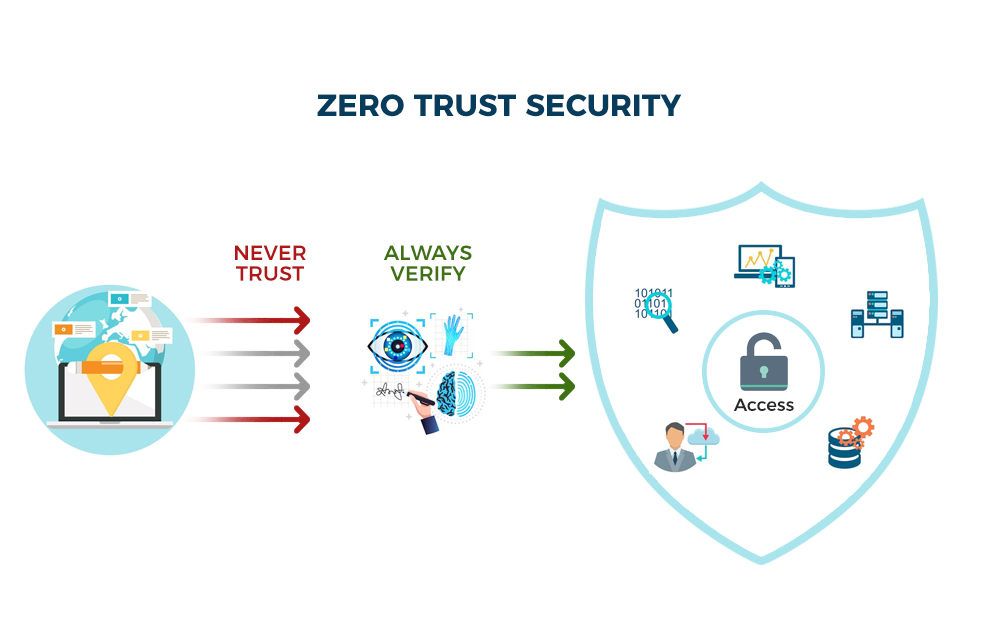
FAQ 14: What is Zero Trust?
Short answer:
Never trust, always verify.
Long answer:
Zero Trust includes:
Least privilege
Device compliance
Identity first
Continuous validation
Micro-segmentation
Conditional access
This stops lateral movement.
FAQ 15: How do I explain cyber risk to my board?
Short answer:
Frame cyber as a business risk, not an IT risk.
Long answer:
Boards care about:
Financial risk
Insurance risk
Regulatory exposure
Customer impact
Operational downtime
Reputational harm
Use simple numbers, not technical jargon.
FAQ 16: Do small businesses really get attacked?
Short answer:
Yes. Constantly.
Long answer:
Small businesses are:
Easier targets
Lower maturity
Less monitoring
More trusting
Usually on Microsoft 365
Often outsource IT to MSPs
Attackers automate everything.
They don’t manually pick targets.
FAQ 17: Can staff cause data breaches accidentally?
Short answer:
Yes — this is the most common scenario.
Long answer:
Accidental breaches include:
Wrong email recipient
Misconfigured sharing link
Weak passwords
Storing data in personal accounts
Falling for phishing
Using unauthorised apps
Training + governance reduces this drastically.
FAQ 18: Are councils and NFPs high-risk?
Short answer:
Yes — extremely.
Long answer:
These orgs have:
Sensitive personal data
Limited budgets
Legacy systems
Old infrastructure
High public exposure
Low cyber maturity
Attackers know this.
FAQ 19: What is the difference between a vulnerability scan and a pen test?
Short answer:
A scan finds weaknesses.
A pen test exploits them.
Long answer:
Scan = automated
Pen test = manual attacker simulation
Insurers need BOTH.
FAQ 20: How long does a breach investigation take?
Short answer:
72 hours to several weeks.
Long answer:
Depends on:
Attack severity
Log retention
Number of compromised accounts
Backup impacts
Forensic requirements
Lack of logs = huge delays.
FAQ 21: Do we need cyber insurance if we have good security?
Short answer:
Yes. Good security reduces impact — insurance covers cost.
Long answer:
Good controls = lower premiums
Insurance = financial safety net
You need both.
FAQ 22: How do we reduce cyber insurance premiums?
Short answer:
Maturity uplift + documentation.
Long answer:
Insurers lower premiums when you show:
MFA
EDR
Immutable backups
M365 hardening
Essential Eight ML2
Annual pen testing
IR plan
Vendor risk management
This section becomes a LinkedIn goldmine.
FAQ 23: Should we block international access?
Short answer:
Yes, unless your business needs it.
Long answer:
Geo-restrictions:
Stop 80 percent of brute-force attacks
Reduce credential stuffing
Minimise noise
Limit global exposure
Conditional Access makes this easy.
FAQ 24: What is MFA fatigue and how do we stop it?
Short answer:
Attackers spam approval requests. Staff hit “approve.”
Long answer:
Stop it with:
Number matching
Authenticator app
Conditional Access
Risk-based sign-in policies
Never use SMS MFA alone.
FAQ 25: Does cybersecurity make us compliant with the Privacy Act?
Short answer:
No — but it helps significantly.
Long answer:
Privacy compliance requires:
Governance
Documentation
Data classification
Secure storage
Cybersecurity controls
Cyber + privacy = full compliance.
FAQ 26: What is the #1 thing we should fix first?
Short answer:
MFA + blocking legacy authentication.
Long answer:
This single combination stops:
Password spraying
MFA bypass
Account takeover
BEC
70 percent of identity attacks
It is the highest leverage change you can make.
SECTION 12

Next Steps & How TheCyberGuyAU Can Help
Cybersecurity in Australia is complex.
Threats evolve fast.
Budgets are stretched.
Tools overlap.
Insurers keep tightening requirements.
Regulations are increasing.
And the technology stack changes every 6–12 months.
But here’s the truth:
Most Australian organisations do not need more tools.
They need better alignment, clarity, hardening, visibility and guidance.
Your business does not need to be perfect.
It just needs to be protected.
This guide gives you everything you need to understand the landscape.
But implementation is what unlocks safety.
That’s where I come in.
1. Book a Free Cyber Maturity Consultation (30 Minutes)
If you want:
- A personalised security roadmap
- Help navigating cyber insurance
- M365 hardening
- AI governance
- Incident response planning
- Essential Eight uplift
- Vendor risk assessments
- Pen testing guidance
- Clear steps forward
Then a free 30-minute session will give you:
- A maturity snapshot
- Your top 3 risks
- Priority fixes
- Recommended uplift pathway
No pressure.
No sales pitch.
Just clarity.
2. Request a Microsoft 365 Security Review
Microsoft 365 is the biggest attack vector in Australia.
If you’re unsure about:
- MFA configuration
- Conditional Access
- Legacy authentication
- Email forwarding rules
- Admin roles
- Intune
- Identity risks
- Data sharing
- Mailbox security
I’ll perform a structured M365 assessment and give you:
- Findings
- Screenshots
- Gaps
- Fix steps
- Impact ranking
This is one of the highest-value services for SMBs and councils.
3. Get Help with AI Governance & Safe AI Use
AI is moving faster than any regulation or policy.
If your business uses:
- ChatGPT
- Copilot
- Gemini
- AI writing tools
- AI coding assistants
- Email AI
- Browser extensions
You need:
- AI governance
- Staff guidelines
- Risk assessments
- Prompt safety
- Ethical frameworks
I provide a simple, clean AI governance package that aligns with upcoming Australian regulation.
4. Build Your Incident Response Plan
A cyber incident is:
- Fast
- Chaotic
- Costly
- Stressful
- Legally sensitive
I help you:
- Build a practical IR plan
- Establish contact trees
- Document escalation paths
- Prepare evidence collection
- Pre-write OAIC notification templates
- Train your leadership team
This is one of the most valuable deliverables for executive teams.
5. Essential Eight Uplift & Cyber Insurance Support
If you want lower premiums and higher coverage:
- I assess your current maturity
- Identify quick wins
- Implement E8 ML1/ML2
- Prepare insurer evidence
- Fix identity risks
- Harden cloud services
- Build your supporting documents
Insurers love well-documented maturity uplift.
You get:
- Lower premiums
- Higher coverage
- Faster approvals
- Fewer exclusions
6. Download the Full Cyber Toolkit (Free)
All templates listed in Section 10 are available free:
✔ Policies
✔ Checklists
✔ Assessment forms
✔ Incident response templates
✔ AI governance
✔ Essential Eight tools
✔ Training content
✔ Vendor questionnaires
✔ Insurance templates
These resources help you take immediate action.
7. Connect on LinkedIn & Follow the Blog
Stay updated with:
- New threats
- New frameworks
- Live breakdowns of cyber incidents
- Free templates
- Zero Trust guides
- M365 security configs
- Executive-focused content
- Australian-specific advice
- AI governance updates
- LinkedIn carousels
- Long-form blog posts
You will get high-value, no-fluff content designed for busy leaders.
8. Why Work With TheCyberGuyAU?
I provide:
- Clear explanations
- Professional-grade guidance
- Practical over perfect
- Budget-aware recommendations
- Australian context
- A vendor-neutral approach
- Enterprise knowledge simplified for SMBs
- Modern, AI-aware consulting
- Hands-on experience with councils, SMBs, health & NFP
- Evidence-based, insurer-aligned advice
You get a partner.
Not a vendor.
9. Ready to Improve Your Security?
If you want help with:
- Microsoft 365 security
- Essential Eight uplift
- Incident response
- AI governance
- Cyber insurance compliance
- Pen testing guidance
- Maturity planning
- Budget optimisation
- Staff cybersecurity education
Then let’s talk.
Book a free cyber consultation
A simple conversation could prevent a major incident.
FINAL WORD

Cybersecurity shouldn’t be confusing or overwhelming.
This guide is designed to empower you, your team, and your organisation with clarity and confidence in 2026.
If you need support, I’m here.
TheCyberGuyAU
Cybersecurity Advisor for Australian Business, Councils & SMBs